Photo to printable bead kit
PixelCraft AI Pattern Generator
Upload any photo and turn it into a printable Perler, Artkal, or Hama bead pattern with color codes, step-by-step charts, a shopping list, and a realistic 3D preview.
Start here
Upload a photo and generate a real bead pattern
Use the same production tool from the dedicated workspace: upload an image, choose original or cutout, match Perler, Artkal, Hama, or MARD colors, edit the chart, and export printable files.
Upload
Generate an image from an idea
What happens next
Choose the original image or a background-removed cutout as the pattern source.
The chosen source is cropped and fitted to the selected bead grid.
Colors snap to Perler, Artkal, Hama, or MARD brand codes.
PDF, 3D preview, and shopping list are prepared.
Privacy-first craft tools
Your photos stay yours.
No forced signup
Try the generator first, then create an account only when you need saved projects or paid exports.
No AI training
Uploaded images are not used to train AI models or build image-generation datasets.
Private by default
Generated patterns are not published to galleries unless the user explicitly shares them.
Read before uploading
We explain exactly how uploaded images are handled, what Rembg does, and which features are free or paid.
Upload photo
Start from a pet, snack, mascot, or original character.
AI cutout
Preview a transparent, die-cut subject produced by Rembg.
Tune recipe
Choose size, bead brand, color depth, and cleanup rules.
3D preview
Inspect the soft plastic bead render before exporting.
Unlock
Use credits or subscription for high-resolution delivery.
Deliver
PDF steps, 3D PNG, shopping list, and optional email.
Old bead tools
PixelCraft AI
Original sample patterns
Safe launch samples only: generic, uncopyrighted kawaii designs backed by structured TypeScript matrices.
A practical guide from photo to pegboard
PixelCraft AI keeps the craft decisions visible: which image is used, how colors map to real bead codes, and what you receive when the design is ready to make.
Start with a clean subject
Upload a photo, compare the original with the transparent cutout, then decide which version should become the bead grid.
Match materials you can buy
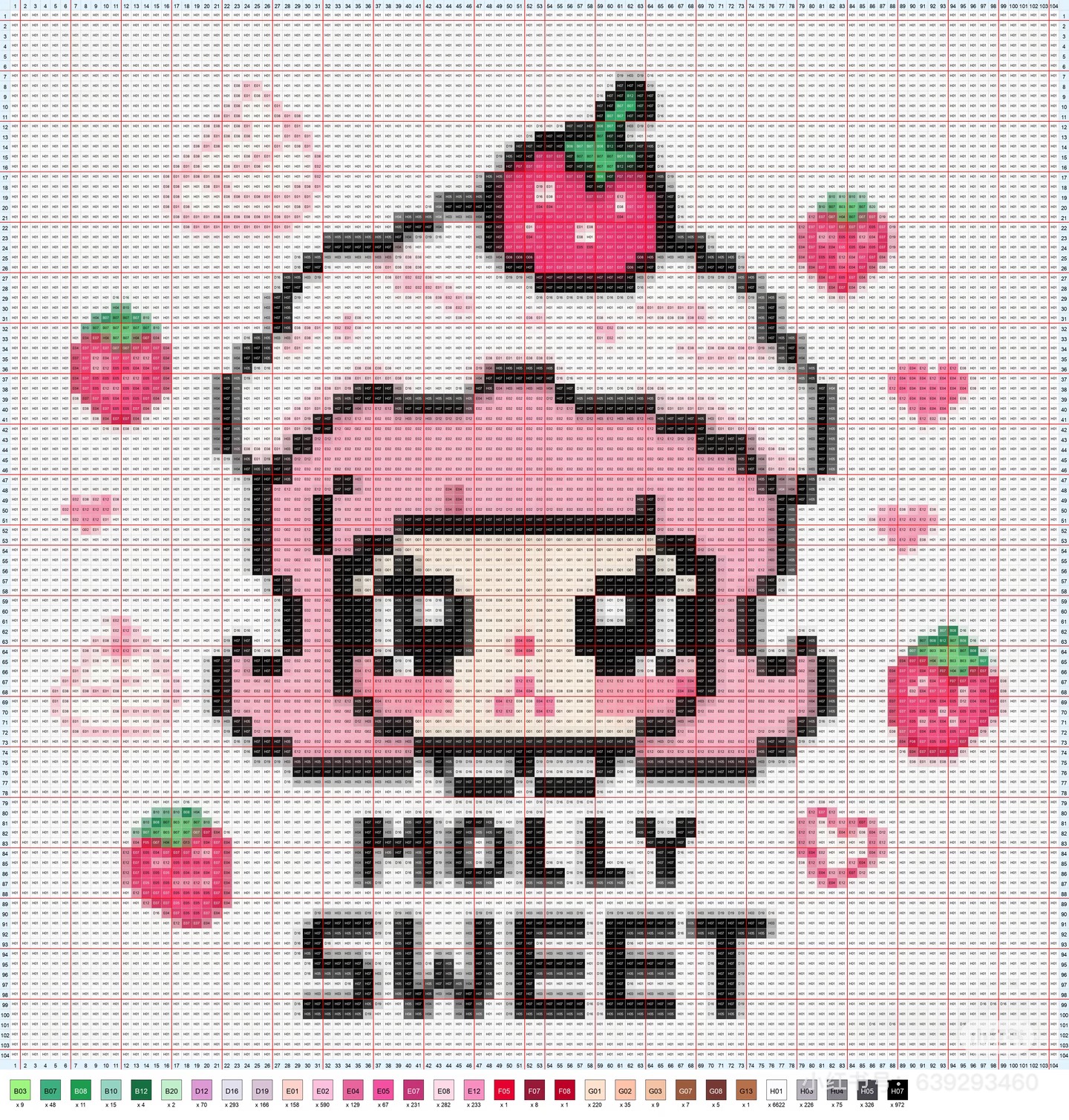
Choose Perler, Artkal, Hama, or MARD and see brand codes, exact quantities, color depth, and minimum board size.
Follow a chart that works
Use four-sided coordinates, five-cell guides, color-separated steps, a 3D preview, and printable PDF instructions.
Read the product workflow guide
PixelCraft AI is designed as a practical production workspace for bead makers, teachers, parents, and craft sellers. The page starts with a clear promise: upload an image, decide whether to keep or remove the background, then turn the chosen subject into a grid that can be built on a real pegboard.
A useful chart is more than a pixelated picture. Makers need four-side coordinates, readable color codes, thicker guide lines, a minimum board size, and a bead count table before they start ironing. That is why the generator treats the printable chart, step pages, 3D preview, and shopping list as one connected project.
The material workflow matters. A creator may use Perler in North America, Hama in Europe, Artkal for detailed 5mm work, or MARD / MARK for mini-bead charts. PixelCraft AI keeps brand, bead size, color depth, and palette range visible so the final list maps to materials people can actually buy.
For sellers, the output should support a product workflow rather than just a download. A finished project can become a PDF pattern pack, a preview image for a listing, a material checklist for customers, and a reusable draft for future edits or remix versions.
Privacy stays part of the product. Uploaded images are used to create the user’s own pattern and are private by default. A project appears in the public gallery only when the creator chooses to share it.
Creator production workflow
From image upload to a sellable bead pattern package
The strongest product direction is a complete workbench for 拼豆制作: upload a source image, isolate the subject, match bead-brand palettes, edit the chart, create a material list, generate step-by-step instructions, export a PDF product pack, and prepare listing assets for craft shops.
Create
Prepare
Package
Sell
FAQ
Can I try it before signing up?
Yes. The intended flow lets visitors upload and preview a result before creating an account.
Are uploads used to train AI?
No. Uploaded photos are used to generate your pattern, not to train AI models.
What is locked behind premium?
High-resolution PDF export, 3D preview PNG, shopping list download, saved projects, and email delivery are premium candidates.